
How to Set Up AI Voice Calling for Your Shopify Store in 7 Days (Step-by-Step)
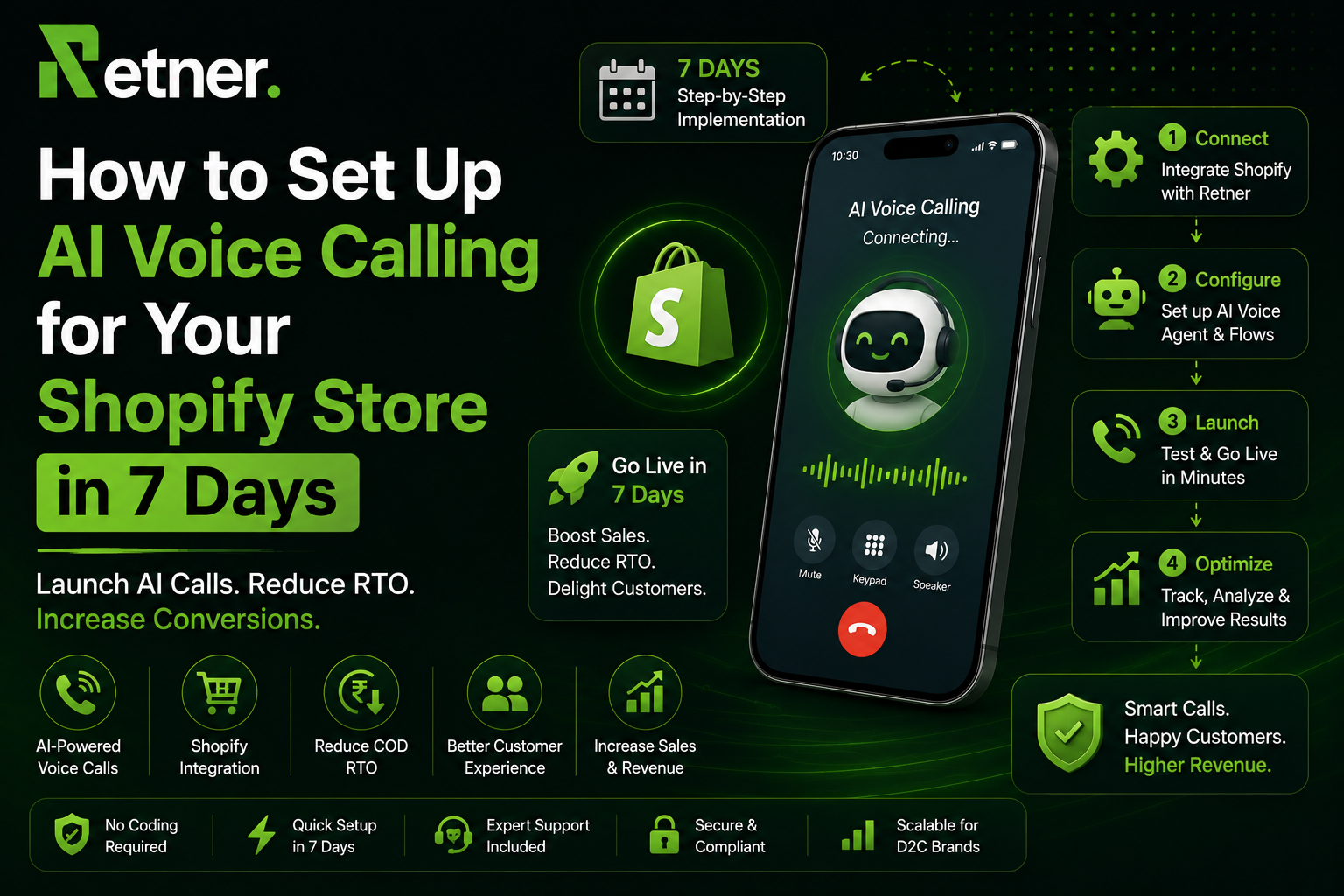
Most D2C founders think setting up AI voice calling is a multi-month engineering project — API integrations, custom scripts, compliance paperwork, and a developer on standby.
It is not. Not anymore.
With a platform built specifically for Indian D2C — like Retner — you can go from zero to live AI voice calling for COD verification, cart recovery, and NDR management in 7 days. No tech team required. No developer needed. No compliance headaches because the platform handles them automatically.
This guide gives you the exact day-by-day plan — what to do, what to configure, and what to test each day — so your first AI voice call fires automatically before Day 7 is over.
One important distinction before we begin: this guide is about outbound AI voice calling — your platform calling customers for COD verification, NDR recovery, and cart recovery. This is different from inbound AI voice support (where customers call you). For D2C brands in India, outbound AI voice delivers the highest ROI — and it is what none of the generic guides cover for our market.
Before You Begin: What to Expect in 7 Days
Here is the full 7-day overview before we go into detail:
| Day | Focus | Time Required | Output |
| Day 1 | Shopify connection + platform setup | 2–3 hours | Platform live, store connected |
| Day 2 | DLT registration + compliance | 1–2 hours | Compliant calling infrastructure |
| Day 3 | Use case definition + intent scoring | 2–3 hours | Flow architecture planned |
| Day 4 | COD verification flow | 3–4 hours | First flow built and configured |
| Day 5 | Cart recovery + NDR flow | 3–4 hours | Two more flows ready |
| Day 6 | WhatsApp integration + full testing | 2–3 hours | Cascade tested end-to-end |
| Day 7 | Go live + monitoring | 1–2 hours | Live — first AI call fires |
| Total | ~16–20 hours | Full AI voice stack live |
No coding. No engineering. 16–20 hours of focused setup spread across 7 days.
What You Need Before Day 1
Gather these before you start. Having them ready prevents delays:
From your Shopify store:
- Shopify Admin API key and storefront access token
- Your store URL (yourstore.myshopify.com)
- Admin access to install a private app or custom integration
Business and compliance:
- Your business PAN and GST number (for DLT registration)
- A company letterhead or incorporation document (for PE registration)
- The mobile number you want as your calling CLI (Caller Line Identity)
Content:
- A list of your top 3–5 COD objections (price, delivery time, product doubt, etc.)
- Your standard delivery partner names and tracking URL formats
- A note on the language your customers prefer — Hindi, Hinglish, English, or regional
If you haven't already: Read our guide on Is AI Voice Calling Legal in India? TRAI, DND and DPDP Explained so you understand exactly what the compliance steps in Day 2 are achieving.
Day 1 — Connect Shopify and Set Up Your Platform
Goal: Your Retner account is live and your Shopify store is fully connected. Order events, customer data, and cart activity are flowing into the platform.
Step 1: Create Your Retner Account
Sign up at retner.ai and complete your brand profile:
- Brand name (as it will appear to customers when callers see your CLI)
- Primary contact number
- Business category (D2C ecommerce / Shopify)
- Primary language: English / Hindi / Hinglish
Step 2: Connect Your Shopify Store
Navigate to Integrations → Shopify in your Retner dashboard.
Enter your Shopify store URL and API credentials. Retner will request the following Shopify permissions:
- Read orders (to trigger on order events)
- Read customers (to access customer profiles)
- Read product listings (for product name in scripts)
- Read checkouts (for cart abandonment triggers)
Once connected, Retner will sync:
- Last 30 days of orders and customer data
- Active carts
- Shipping and courier data (if you have a courier integration)
Verify the connection: Go to Dashboard → Data → Recent Orders and confirm your last 10 Shopify orders appear with correct status.
Step 3: Set Up Customer Profiles
Retner will automatically build customer profiles from your Shopify order history — purchase frequency, AOV, COD vs prepaid ratio, last order date. These profiles feed the intent scoring engine you will configure on Day 3.
End of Day 1 checkpoint: Shopify is connected. Customer profiles are imported. Order event triggers are active. ✅
Day 2 — Compliance Foundation (DLT, DND, Calling Hours)
Goal: Your AI calling infrastructure is compliant with TRAI regulations before a single call is placed. For a detailed understanding of what these regulations mean, see our full guide on AI Voice Calling Compliance in India.
Step 1: DLT Principal Entity Registration
Retner's compliance team handles your PE registration on the DLT (Distributed Ledger Technology) platform. You provide:
- Business name (as registered with MCA/ROC)
- PAN number
- GST number
- Authorised signatory details
Retner submits the registration on your behalf. Approval typically takes 2–5 business days — which is why this happens on Day 2. Your flows will be ready before approval completes; you activate them once registration is confirmed.
Step 2: Telemarketer Linkage
Retner is already registered as a Telemarketer on the DLT platform. Once your PE registration is approved, Retner links itself to your PE — establishing the mandatory PE-Telemarketer connection required for all compliant commercial calling.
Step 3: Configure Calling Hours
In Settings → Calling Rules, set:
- Calling window: 9:00 AM to 8:30 PM IST (TRAI mandates 9 AM–9 PM; we recommend ending at 8:30 PM for a safety buffer)
- Queue behaviour for off-hours triggers: Orders placed after 8:30 PM are queued and fire at 9:15 AM the following morning
- Timezone: Indian Standard Time (UTC+5:30)
Step 4: DND Scrubbing Configuration
In Settings → Compliance → DND Scrubbing:
- Enable automatic DND scrubbing: ON
- Scrubbing frequency: Before every dial (not monthly — daily DND changes require per-call scrubbing)
- Scrubbing provider: Pre-configured by Retner using NCPR data
For transactional calls (COD verification, NDR recovery), DND scrubbing is not legally required — but enable it anyway as best practice.
End of Day 2 checkpoint: DLT registration submitted. Calling hours configured. DND scrubbing active. Platform is compliance-ready pending DLT approval. ✅
Day 3 — Define Use Cases and Configure Intent Scoring
Goal: Decide exactly which customer scenarios trigger an AI voice call — and how your intent scoring engine determines when voice fires versus WhatsApp.
Step 1: Choose Your Use Cases
For a first deployment, start with two or three use cases. Adding all use cases at once makes testing harder. Recommended starting set for D2C:
Priority 1 — COD Order Verification (highest ROI, simplest flow) Priority 2 — NDR Recovery (direct RTO prevention) Priority 3 — Abandoned Cart Recovery (if you have 20%+ cart abandonment)
You can add win-back, reorder reminders, and pre-delivery reminder calls in Week 2 once the foundational flows are stable.
For detailed guidance on how these flows integrate into your overall retention strategy, see our guide on 12 Proven Customer Retention Strategies for D2C Brands.
Step 2: Configure Intent Scoring Thresholds
In Intelligence → Intent Scoring, define your threshold rules:
For COD verification:
- Trigger: Every COD order placed (100% — no intent scoring required, all COD orders get verified)
For abandoned cart voice cascade: Define "High Intent" as:
- ✅ Customer visited the product page 2+ times in the last 7 days, AND
- ✅ Cart value above ₹[your threshold — typically ₹800–₹1,500], AND
- ✅ WhatsApp message has been delivered but unread for 30+ minutes
Medium and Low intent customers get WhatsApp-only flows; voice only fires for High Intent.
For NDR recovery:
- Trigger: Any NDR received from courier partner (100% — all failed deliveries)
- Voice fires: If WhatsApp message unread after 45 minutes
For a detailed breakdown of how the WhatsApp + AI Voice cascade works together, see our blog on The WhatsApp + AI Voice Cascade: India's Most Powerful COD Automation Flow.
Step 3: Define Customer Language Routing
In Settings → Language Routing:
- Pincodes in Tier 1 metros: English + Hinglish
- Pincodes in Tier 2/3 cities: Hinglish primary
- Override: If customer's past WhatsApp messages were in Hindi, default to Hinglish regardless of pincode
End of Day 3 checkpoint: Use cases selected. Intent scoring thresholds defined. Language routing configured. You know exactly who gets a voice call and when. ✅
Day 4 — Build Your COD Verification Flow
Goal: Your first complete AI voice flow is built, scripted, and configured. This is the highest-ROI flow for any Indian D2C brand — get it right before adding complexity.
Step 1: Create the Flow in Retner's Builder
In Flows → New Flow → COD Order Verification:
Set the trigger: Shopify Event → Order Created → COD payment method
Set the cascade:
- Step 1: WhatsApp message fires at T+2 minutes
- Step 2: AI Voice call fires at T+25 minutes if WhatsApp unread
- Step 3: SMS fires at T+45 minutes if voice unanswered
- Step 4: Second WhatsApp fires at T+2 hours if no response
Step 2: Write Your Voice Scripts
In Scripts → COD Verification, write your conversation scripts. You will need:
Opening script:
"Hi, am I speaking with {{customer.first_name}}?"
[Customer confirms]
"Hi {{customer.first_name}}, this is Priya calling from {{brand.name}}.
You placed an order with us about {{time_since_order}} for
{{order.product_name}}, worth ₹{{order.amount}}, with Cash on Delivery.
I am just calling to quickly confirm your order before we dispatch.
Can you confirm you would like to proceed?"
Confirmation branch:
"Perfect! And just to confirm, your delivery address is
{{order.shipping_address}} — is that correct?"
[If YES] "Wonderful! Your order will be dispatched within {{dispatch_sla}}
and you will receive a tracking link on WhatsApp. Thank you!"
[If address wrong] "No problem — what is the correct address?
I will update it before dispatch."
Prepaid conversion offer:
"One quick thing — if you would like to switch to online payment,
I can offer you ₹{{prepaid_incentive_amount}} off right now.
I can send the payment link to your WhatsApp immediately.
Would you like that?"
Cancellation handling:
"Completely understood. Can I ask — was there something specific,
like delivery time or a product question, I could help clarify?"
For the complete script library across all 10 use cases — with objection handling branches and Hinglish variants — see our full guide: 10 AI Voice Scripts for D2C Brands — Copy-Paste Ready.
Step 3: Configure Prepaid Conversion Link
In Integrations → Payment Links:
- Connect your payment gateway (Razorpay, Cashfree, or PayU)
- Set the prepaid discount amount (we recommend ₹50–₹100 for orders under ₹2,000; ₹100–₹150 for above)
- The platform auto-generates a personalised payment link and sends it via WhatsApp when the customer says yes on the call
End of Day 4 checkpoint: COD verification flow built. Scripts written. Prepaid conversion configured. Flow ready to test. ✅
Day 5 — Build Your Cart Recovery + NDR Flow
Goal: Two more flows added — abandoned cart recovery for high-intent customers and NDR recovery for failed deliveries.
Step 1: Abandoned Cart Recovery Flow
In Flows → New Flow → Abandoned Cart Recovery:
Trigger: Shopify Event → Checkout Abandoned → Filter: High Intent customers only
Cascade:
- T+30 min: WhatsApp — rich cart recovery message
- T+75 min (if WhatsApp unread + High Intent): AI Voice call
- T+3 hrs: SMS fallback
- T+6 hrs: Second WhatsApp (social proof angle)
AI Voice script for cart recovery:
"Hi {{customer.first_name}}, this is Aanya from {{brand.name}}.
I noticed you were checking out {{cart.product_names}} a little while ago
and wanted to reach out personally.
Was there anything I can help with — sizing, delivery, or payment?"
For the WhatsApp message templates that accompany this voice flow, use the templates from our library: 20 WhatsApp Message Templates for D2C Brands — Copy-Paste Ready.
Step 2: NDR Recovery Flow
In Flows → New Flow → NDR Recovery:
Trigger: Courier webhook → NDR status received
Cascade:
- T+30 min: WhatsApp — "we missed you" message with 1️⃣2️⃣3️⃣ options
- T+60 min (if unread): AI Voice call
- T+75 min (if call unanswered): SMS
- T+4 hrs: Final WhatsApp
AI Voice script for NDR:
"Hi {{customer.first_name}}, this is a call from {{brand.name}}.
Our delivery partner tried to deliver your {{order.product_name}} today
but could not reach you. We really want to make sure you get your order.
Can we reschedule delivery for tomorrow?"
Configure courier webhook: In Integrations → Logistics, connect your courier API (Shiprocket, Delhivery, Xpressbees, or BlueDart). When an NDR status is received, it triggers the flow automatically.
End of Day 5 checkpoint: Three flows built — COD verification, cart recovery, NDR. All scripts written. Courier webhook connected. ✅
Day 6 — Connect WhatsApp Fallback and Test Every Scenario
Goal: Every flow's WhatsApp component is live and tested. The full cascade — WhatsApp → Voice → SMS — works end-to-end.
Step 1: Verify WhatsApp Integration
If you have already set up WhatsApp automation, Retner connects to your existing BSP (Business Solution Provider). If you have not, Retner activates WhatsApp Business API as part of your setup.
In Channels → WhatsApp:
- Verify your WhatsApp Business Account (WABA) is connected
- Confirm your approved message templates are live (see our WhatsApp Templates guide for what to submit)
- Set up the prepaid payment link auto-send after voice confirmation
Step 2: Test Every Scenario (Full Cascade Run)
Use Retner's Flow Testing mode to simulate each scenario:
Test 1 — COD Verification (WhatsApp response): Place a test COD order → Verify WhatsApp fires at T+2 min → Reply YES → Confirm address message sends → Verify no voice call fires (WhatsApp resolved it)
Test 2 — COD Verification (Voice escalation): Place a test COD order → Let WhatsApp message sit unread → Verify voice call fires at T+25 min → Answer the test call → Confirm the script flows correctly
Test 3 — Cart Abandonment (High Intent): Create a test cart with a high-value product → Abandon at checkout → Verify WhatsApp fires at T+30 min → Let it sit → Verify voice call fires at T+75 min
Test 4 — NDR Recovery: Simulate an NDR webhook from your courier → Verify WhatsApp fires at T+30 min → Let it sit → Verify voice call fires at T+60 min
Test 5 — SMS Fallback: Simulate missed voice call → Verify SMS fires at T+15 min after the missed call
What to check in each test:
- ✅ Correct customer name and product name in script
- ✅ Correct timing between cascade steps
- ✅ Voice call sounds natural (not robotic — listen to the test recording)
- ✅ WhatsApp message matches the voice call context (same product, same offer)
- ✅ SMS fires correctly after missed voice call
- ✅ If you are worried the voice might sound robotic, read our myth-busting guide: 5 Myths Indian D2C Founders Believe About AI Voice Calling
Step 3: Fix Edge Cases
Common issues in testing:
| Issue | Fix |
| Customer name not populating | Check Shopify field mapping — use first_name not name |
| Voice call firing even after WhatsApp resolved | Check WhatsApp read receipt integration in cascade logic |
| Script going off-branch on test answer | Update conversation tree for that branch in Flow Builder |
| Voice timing off | Check order timestamp sync between Shopify and Retner |
| SMS not firing after missed call | Verify SMS gateway credentials in Integrations |
End of Day 6 checkpoint: WhatsApp integration verified. All 5 test scenarios pass. Edge cases resolved. Ready for go-live. ✅
Day 7 — Go Live, Monitor, and Measure
Goal: Your AI voice flows are activated. The first real COD verification call fires automatically. You are monitoring in real time.
Step 1: Activate Flows in Sequence
Do not activate all flows simultaneously on Day 7. Activate in this order, with 2–3 hours between each:
- 9 AM: Activate COD Verification flow first
- 12 PM: Review first 3–5 real calls in the call log. Check: Did they fire at the right time? Did the cascade work? How did customers respond?
- 2 PM: Activate NDR Recovery flow (if no issues with COD flow)
- 4 PM: Activate Cart Recovery flow (if both previous flows stable)
Step 2: Monitor Your Live Dashboard
In Analytics → Live View, monitor:
| Metric | What to Watch | Alert If |
| WhatsApp delivery rate | Should be 95%+ | Below 90% |
| Voice call answer rate | 55–70% expected | Below 40% |
| COD confirmation rate | Target 70–80% | Below 55% |
| Prepaid conversion rate | Target 12–18% | Below 8% |
| Cascade stop rate | % resolved before SMS | Below 70% |
Step 3: Review the First Day's Calls
Listen to recordings of your first 10 real AI voice calls. Check:
- Does the customer sound confused at any point?
- Are there questions the script did not handle?
- Is the tone right for your brand?
- Are there objections you had not anticipated?
Update scripts based on what you hear. This first round of real-world feedback is the most valuable optimisation data you will get.
End of Day 7 checkpoint: All three flows live. First calls fired and reviewed. Dashboard showing real data. AI voice is operational. ✅
Week 2–4: What to Optimise After Launch
The first 7 days get you live. The next 3 weeks make the system high-performing.
Week 2 — Script Optimisation: Review call recordings for the most common objections your AI did not handle well. Add branches for those scenarios. Focus on the COD verification prepaid conversion branch — small improvements here deliver large ROI. For a library of optimised scripts across all use cases, revisit 10 AI Voice Scripts for D2C Brands.
Week 2 — Add Win-Back Flow: Once foundational flows are stable, add the win-back flow for 60-day lapsed customers. This is one of the highest-ROI retention applications for AI voice. See 12 Proven Customer Retention Strategies for how win-back fits into your full retention system.
Week 3 — Timing Optimisation: Review your cascade timing data. For your specific brand and customer base:
- Is 25 minutes the right WhatsApp-to-voice window, or should it be 20 or 35?
- Which time of day shows the highest voice answer rates?
- Do Tier 2/3 customers respond better at different times than metro customers?
Adjust cascade timing based on what the data shows, not the default settings.
Week 3 — Add Reorder Reminder Flow: If you sell consumable products, add replenishment reminder calls. This is AI voice's highest-converting retention use case — 22–35% reorder conversion rate. Timing rules for different product types are covered in 12 Retention Strategies for D2C.
Week 4 — ROI Review: Compare your RTO rate, cart recovery rate, and NDR rescue rate from the 30 days before launch versus the 30 days after. If you want the benchmarks to compare against, see our full ROI analysis: AI Voice ROI vs Manual Calling Team: Real ₹ Numbers.
The 7-Day Metrics Dashboard
Track these numbers from Day 7 onwards. Review weekly.
| Metric | How to Find It | Benchmark | Action If Below |
| COD verification rate | Flows → COD → Resolved % | 70–80% | Review script opening + timing |
| COD-to-prepaid conversion | Payments → Prepaid conversions | 12–18% | Increase incentive amount |
| Cart recovery rate | Flows → Cart → Purchase attributed % | 15–22% | Check WhatsApp template CTR first |
| NDR rescue rate | Flows → NDR → Rescheduled % | 65–80% | Check NDR timing — fire faster |
| Voice answer rate | Calls → Answered / Dialled | 55–70% | Check time-of-day distribution |
| RTO rate (overall) | Orders → RTO % | Below 15% | Review full cascade end-to-end |
| Revenue attributed to AI voice | Analytics → AI Voice Revenue | Set target | Increase high-intent flow volume |
Frequently Asked Questions
How long does it really take to set up AI voice calling for Shopify?
With a platform like Retner that has native Shopify integration and pre-built D2C flow templates, the hands-on setup work totals 16–20 hours spread across 7 days. The longest single dependency is DLT registration approval (2–5 business days) — which runs in the background while you build your flows on Days 3–6. Your first live AI voice call typically fires on Day 7, with the full performance visible within 30 days.
Do I need a developer or tech team to set this up?
No. Retner's flow builder is entirely no-code — drag-and-drop trigger configuration, visual script editor, and point-and-click cascade logic. The Shopify connection requires entering your API credentials (available in Shopify Admin → Apps → API credentials), but no coding. DLT registration is handled by Retner's compliance team on your behalf.
What is the most important flow to set up first?
COD verification, without question. It is the simplest flow (one trigger: COD order placed), delivers the highest and fastest ROI (RTO reduction starts on Day 1 of going live), and has the clearest success metric (COD confirmation rate). Get this one right before adding complexity. For the financial case for starting with COD verification, see our AI Voice ROI vs Manual Calling guide.
How do I write AI voice scripts that do not sound robotic?
Three principles: keep sentences short (never more than two clauses), use contractions ("I'm calling" not "I am calling"), and always reference something specific (the product name, the order amount, the delivery address). Avoid filler phrases like "please note" or "kindly be informed." Write the way a friendly, competent person would actually speak. For complete copy-paste scripts across all 10 D2C use cases with objection handling, see 10 AI Voice Scripts for D2C Brands.
What happens to my AI voice calls during Indian holidays or unexpected events?
Configure a holiday calendar in Settings → Calling Rules → Exceptions. On specified dates, calls are held and fired the next available business day within calling hours. For unexpected high-volume events (large sale days, product launches), Retner's infrastructure scales automatically — no manual capacity management required.
Can I set up AI voice calling in Hindi or Hinglish for Tier 2/3 customers?
Yes. Retner's language routing sends calls in Hindi or Hinglish to customers in Tier 2/3 pincodes automatically. You write separate Hindi script variants for each flow — or use the Hinglish variants from our 10 AI Voice Scripts guide as a starting point. The AI voice engine supports natural Hinglish including common mixed constructions like "confirm kar lijiye" or "order ready hai."
Ready to start your 7-day AI voice setup for your Shopify store? Book a free demo →
8x Return On WhatsApp Ads Spend.
Book a demo and we will get you started on proven WhatsApp marketing strategies