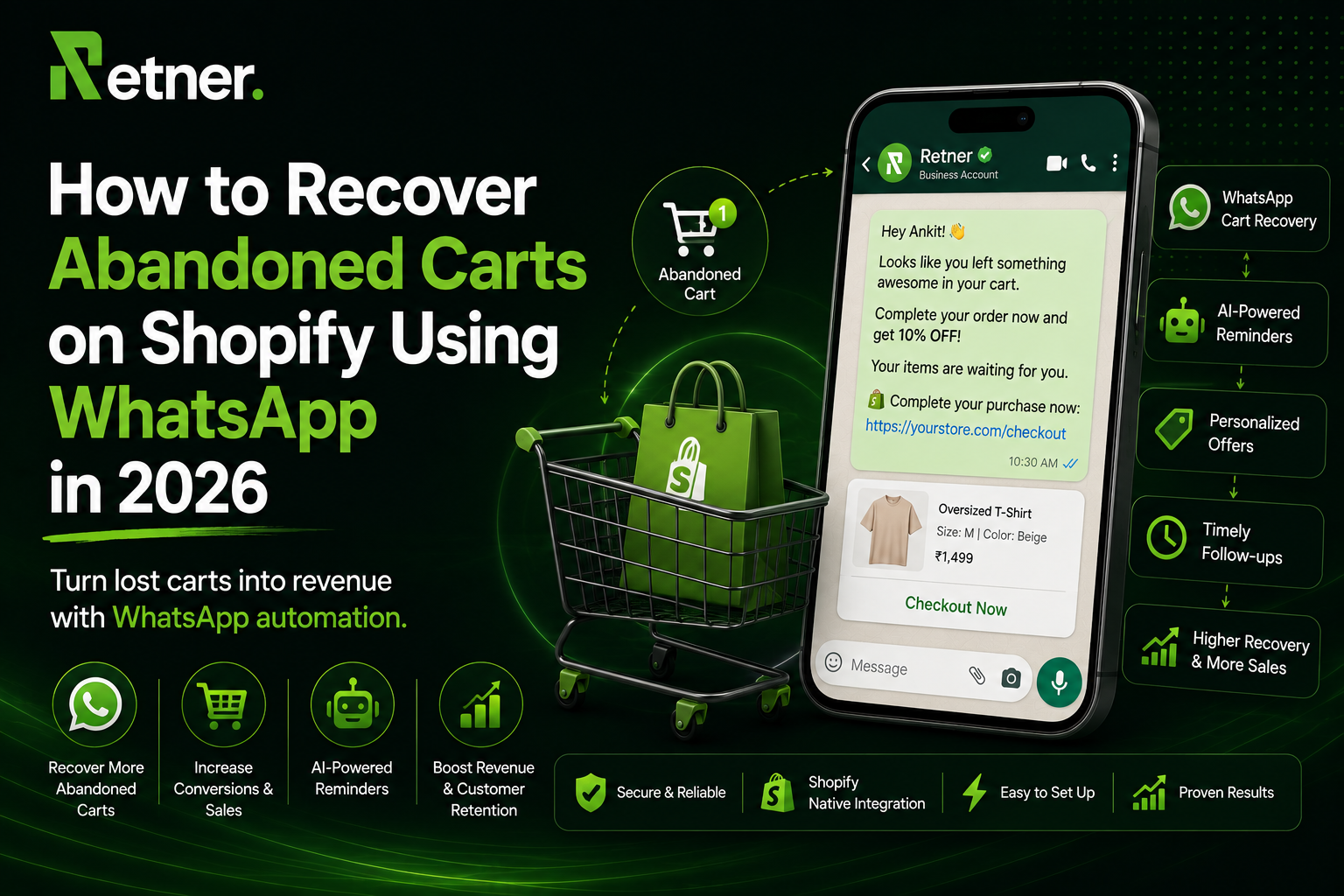
How to Recover Abandoned Carts on Shopify Using WhatsApp in 2026
What Is an Abandoned Cart?
Cart abandonment happens when a shopper adds items to their cart (or starts checkout) but then leaves the site without completing the purchase. For example: a customer visits your store, adds products to cart, enters some details, but then closes the tab or navigates away. This is extremely common – on average over 70% of checkout processes are abandoned.
An abandoned cart represents a warm prospect who was almost a customer. They’ve done the hard work of picking products and (often) entering some contact info, so a gentle reminder or assistance can often tip them into completing the sale. In fact, Twilio cites a Baymard Institute analysis showing the average ecommerce site loses 70.19% of checkouts to abandonment.
Every abandoned cart is a lost sales opportunity. On a per-order basis, if your average order is ₹1,000 and you miss 70% of checkouts, that’s a very high cost in lost revenue. Therefore, proactively recovering abandoned carts can significantly boost revenue. Studies suggest that recovering even a fraction of those carts can add billions in revenue – Baymard estimates improving recovery strategies could unlock ~$260 billion globally.
Why Do Customers Abandon Carts?
Customers abandon carts for many reasons. The Twilio/Baymard research identifies common causes: extra costs (shipping/tax), required account creation, slow delivery times, security concerns, long checkout flows, unexpected fees, etc. According to Baymard’s data:
· Unexpected costs (shipping, fees, taxes) – 48% of shoppers cite this
· Account creation or login requirements – 26%
· Security concerns or trust issues – 25%
· Long or confusing checkout process – 22%
· Limited payment options – 13%, etc.
Addressing these UX issues helps, but no matter how optimized your checkout is, some abandonment is unavoidable. That’s why a smart recovery strategy is critical. Rather than simply accepting abandonment, ecommerce teams now focus on abandoned cart recovery: reaching out to customers shortly after they abandon to encourage them back.
Why Use WhatsApp for Abandoned Cart Recovery?
Traditional recovery channels include email and SMS. But email open rates are often below 30%, and many emails end up unread or in spam. WhatsApp, by contrast, is a highly engaging channel. Consider:
· Massive reach: WhatsApp has over 2 billion users worldwide. Most users check WhatsApp daily, often multiple times.
· High open/read rates: Industry sources report ~98% open rates for WhatsApp messages (vs ~20% for email).
· Instant notifications: WhatsApp pings appear on a user’s phone screen, making them hard to ignore.
· Rich content: You can send product images, emojis, and interactive buttons for a great user experience.
· Two-way conversation: Unlike one-way email, WhatsApp supports real-time chat. Customers can ask questions or respond, and you (or an AI chatbot) can reply.
A Shopify merchant on the official forums put it simply: “We tried email flows earlier, but honestly WhatsApp worked much better for us, especially for abandoned carts… customers respond faster on WhatsApp than email.” This anecdote echoes real metrics: WhatsApp messages get attention fast.
From a practical standpoint:
· Instant connection: If a customer abandoned their cart minutes ago, a prompt WhatsApp message can reach them while the intent is still fresh.
· Personalization: You can use the customer’s name, show cart items, and tailor the tone to match your brand.
· Interactive CTAs: WhatsApp templates allow clickable links and buttons. For example, a “Recover Cart” button can take them straight back to their checkout.
· Handling objections: Since it’s a chat, if the customer has questions (about shipping, size, etc.), they can reply immediately. With Retner’s AI Chatbot, these FAQs can be answered 24/7 without manual effort.
· Incentives: You can easily send discount codes or limited-time offers via WhatsApp to sweeten the deal.
In short, WhatsApp puts your recovery message right in the customer’s pocket with high likelihood of being seen and acted on.
Shopify Abandoned Carts and Recovery Links
Shopify provides tools to retrieve abandoned carts (called abandoned checkouts). When a customer enters contact info but doesn’t finish checkout, Shopify generates a recovery link. The REST API’s Abandoned Checkouts resource includes an abandoned_checkout_url field – “the recovery URL that’s sent to a customer so they can recover their checkout.” For example, you might see:
"abandoned_checkout_url": "https://yourstore.myshopify.com/123456789/checkouts/abcdef123456/recover"
This URL, when clicked, puts the customer right back into their original cart with items and info intact. It’s the key to letting customers continue where they left off. In your WhatsApp message, you would include this link (possibly as a button or short link) so the customer can tap and resume checkout immediately.
To automate this, your app or integration (like Retner) needs to fetch the abandoned checkout data from Shopify’s API or webhook. A typical flow is:
· Detect when a checkout is created but not completed (Shopify doesn’t have a direct “abandoned” webhook, so you either poll the API or infer from cart events).
· After a delay (e.g. 15–30 minutes), consider the checkout abandoned and add it to a recovery queue.
· Retrieve the abandoned_checkout_url and customer name/phone from the checkout object.
· Trigger the WhatsApp recovery flow for that customer.
From here, you can send one or more WhatsApp messages to that phone number.
Example WhatsApp Abandoned-Cart Workflow
Here’s a simple automated workflow example. This assumes you’ve integrated Shopify with a WhatsApp platform like Retner:
1. Trigger: When a customer adds items to cart (or starts checkout) but then leaves the site without completing it, the system marks the cart as abandoned after a short delay.
2. Message 1 (after ~15 min): Send the first WhatsApp reminder.
3. Message 2 (after 1 hour): If still not purchased, send a second, maybe with more urgency or info.
4. Message 3 (after ~24 hours): Send a final reminder (often with a small incentive or final notice).
5. If at any point the customer comes back and completes the purchase, stop the flow.
This 3-message sequence is just an example. Some brands use more (e.g. 4 messages over 2 days) or fewer, and timing can vary (15 min, 1 hr, 24 hr is common). The key is to be prompt but not annoying.
5 WhatsApp Abandoned Cart Message Templates
Crafting the right message is crucial. Each message should feel conversational, not spammy. Use personalization (name, product names) and clear calls-to-action. Here are five example templates. Assume you can insert dynamic variables like {{FirstName}}, {{CartItems}}, and the recovery {{CartURL}}:
- Message 1 – Friendly Reminder:
- "Hi {{FirstName}}! 👋 We noticed you left **{{CartItems}}** in your cart. No worries, we saved it for you. 🛒 Click here to complete your order: {{CartURL}}"
- Why it works: Casual tone, shows items, quick link back. Use after ~15–30 minutes. No pressure yet.
- Message 2 – Product Highlight:
- "Hey {{FirstName}}, your **{{ProductName}}** is still waiting for you! 🔥 It’s almost sold out. Grab it now before it’s gone: {{CartURL}}"
- Why it works: Highlights a specific product left behind, adds urgency ("almost sold out"), and links to cart.
- Message 3 – Incentive/Discount:
- "Hi {{FirstName}}! Want 10% off your order? 🎉 We miss you at our store. Use code **SAVE10** at checkout or just click here: {{CartURL}}. (Hurry, the offer expires in 24h!)"
- Why it works: Offers a time-limited discount, giving a clear reason to come back. Use if previous reminders didn’t work.
- Message 4 – Assistance/Question:
- "{{FirstName}}, anything we can help with? 🤔 We saw you had **{{CartItems}}** in your cart. If you have questions (size, shipping, etc.) just reply here. Otherwise, finish checkout when you’re ready: {{CartURL}}"
- Why it works: Invites two-way conversation. If the customer had doubts, this shows you’re ready to assist. No pushy tone.
- Message 5 – Last Chance/FOMO:
- "Hey {{FirstName}}, last call! ⏰ Your cart is about to expire. We’ll have to release **{{CartItems}}** soon. Complete your order now to make it yours: {{CartURL}}"
- Why it works: Creates a final sense of urgency. Let them know items might go away. Use as a last reminder (e.g. after 2 days).
These templates are meant for the WhatsApp Business API, which requires pre-approved templates if the message is outside the 24-hour support window. In practice, you would register these message formats with Meta beforehand. Even so, the content style above can guide your template writing.
Tips for messaging:
· Keep texts short and friendly.
· Use the customer’s name and mention specific products if possible.
· Include a clear call-to-action (“Complete your order” with link).
· Emojis and casual language work well, but don’t overdo it.
· If offering a discount, show the code and an expiry time.
· Always include the recovery link ({{CartURL}}) so it’s one-click for the customer.
Manual vs. Automated vs. WhatsApp+AI: A Comparison
Not all cart recovery methods are equal. Here’s how different approaches stack up:
| Method | Automation | Open/Response Rate | Two-Way Chat | Human Effort | Scalability | Key Pros / Cons |
| Email Reminder | Partial | Low (20–30% opens) | No | Low | High | Low cost, but poor engagement and sluggish. |
| Manual Calling | ❌ None | Low (calls often unanswered) | Yes | Very High | Very Low | Personal but expensive/time-consuming. |
| SMS Reminder | ✅ Moderate | Medium (80%+ opens) | Limited | Low | High | Good read rates, but character-limited and costly. |
| WhatsApp Only | ✅ High | Very High (~98% opens【12†L109-L117】) | Yes | Low | High | Fast, personal feel, clickable links, low cost. |
| WhatsApp + AI | ✅ High | Very High | ✅ Two-way (with chatbot) | Minimal (setup) | Very High | Hands-free interaction; answers FAQs, 24/7 chat. |
· Email/SMS: People often ignore marketing emails or need to actively check email. SMS can be effective but is limited in content and can be intrusive.
· Manual calling: Too labor-intensive to call every abandonment; also disliked by many (calls can seem pushy).
· WhatsApp: Combines automation and a conversational channel. Messages appear like a friend, and customers can reply if needed. Setting up automated WhatsApp (e.g. via Retner) means minimal ongoing effort.
· WhatsApp+AI Chatbot: The ultimate scale. After sending the automated WhatsApp messages, any customer replies can be handled by an AI chatbot (built into Retner) that provides instant answers or guidance. This can boost recovery even more, because customers get real-time support and less friction.
Overall, WhatsApp-based recovery strikes a strong balance: it’s automated and scalable like email, but with the instant, personal nature of a chat. Adding an AI chatbot enhances it further by reducing manual support work while improving customer experience.
Implementing WhatsApp Cart Recovery on Shopify
There are a few ways to set this up:
1. Using Shopify Flow / Triggers (no-code)
If you’re on Shopify Plus, you could use Shopify Flow to detect abandoned carts. For example, Flow can trigger when an order is not completed within a certain time. Some apps or flows set a tag on abandoned checkouts and then launch a workflow.
Shopify’s Admin API (or Flow) can retrieve the abandoned checkout data and abandoned_checkout_url【25†L152-L156】. You then need a connection from Flow to WhatsApp, which typically means a third-party integration (like Retner’s Shopify app).
2. Via a WhatsApp App or Integration
Shopify merchants usually do this by installing a WhatsApp marketing app or connecting with a WhatsApp BSP (Business Solution Provider). These apps listen for abandoned checkouts and automate the rest.
For example, once you install a solution like Retner’s Shopify app, it will:
· Watch for new checkouts and note when they remain unpaid.
· After a delay (configurable, e.g. 15 min), it sees them as “abandoned cart”.
· It then looks up the customer’s phone number from Shopify, and fetches the abandoned_checkout_url.
· It sends the first WhatsApp template (Message 1) to that number with the dynamic link.
· It can then automatically send follow-ups if there’s no conversion (Message 2, etc.), according to your configured schedule.
Behind the scenes, these platforms use the official WhatsApp Business API (not the free WhatsApp App). That requires some setup (Meta Business verification and phone number), but a BSP simplifies it. As Retner’s guide notes, it’s recommended to go through a BSP, which handles the API setup and verification for you. This way you get a dashboard to build flows without any coding.
3. Custom Solution / Zapier-like Tools
If you have developer resources, you could directly call Shopify’s abandoned checkout API and push messages through WhatsApp Cloud API. There are also integration tools (like n8n or Zapier’s webhook actions) that can be configured to send a WhatsApp business message when a checkout is left open. However, this can get complex, so most merchants prefer a dedicated app/partner.
Setting Up a Retner Flow for Abandoned Carts
Assuming you’re using Retner, here’s how you might set up the flow:
- Install and Connect: Install the Retner app from the Shopify App Store, then in Retner’s dashboard go to Integrations and connect your Shopify store. This grants Retner access to your orders, customers, and abandoned checkouts in real time.
- Create Abandoned Cart Automation: In Retner’s Automation builder, create a new flow with the trigger “Cart Abandoned” or “Checkout started but not completed”. (Retner may call it “Checkout created with status incomplete” or similar, matching Shopify’s data.)
- Add Delay and Message Actions: Add a delay step of 15 minutes (so customers have a chance to finish), then add an action “Send WhatsApp message”. Select your template (e.g. “Abandoned Cart Reminder #1”) and insert variables like {{customer_name}} and {{cart_recovery_url}}. Then add another delay (say, 1 hour), and another “Send WhatsApp” for Message 2. Repeat for as many follow-ups as you want.
- Segment if Desired: Use conditions to send different flows to different customers. For example, you might only send WhatsApp messages if the order value is above a threshold, or only if the customer has consented to WhatsApp. Retner lets you create branches in the flow – e.g., “If Cart Value > ₹500, send offer; else skip.”
- Enable Chatbot Support: In Retner, you can also add an “AI Chatbot” step. If a customer replies to the WhatsApp message, Retner’s chatbot can automatically answer common questions (like shipping time, product info, etc.) and can even prompt them to complete checkout. This ensures any inbound chats are handled instantly.
- Order Updates: Once the cart is recovered and the customer actually checks out, Retner’s integration will see the order placed. You should turn off the abandoned-cart flow for that customer, and optionally trigger a new flow like “Order Confirmation” or “Welcome” for post-purchase messaging.
Retner’s documentation shows a sample “Abandoned Cart Recovery” flow:
Trigger: Customer adds to cart and doesn’t complete checkout within 60 minutes.
Actions: Send WhatsApp Reminder #1 (cart link), wait, then send Reminder #2, etc.
And under the hood, Retner takes care of fetching the abandoned_checkout_url and inserting it.
Retner also emphasizes segmentation: “Don’t send the same message to every customer. Use the data your Shopify store already has to send relevant, personalized messages”. You might treat first-time visitors differently from returning customers, or high-value carts differently (maybe offer a bigger discount to VIPs).
A Retner Flow (Mermaid Example)
flowchart LR
CO[Customer starts checkout]
AB[Checkout incomplete after 15m]
Message1[Send WhatsApp #1: "We saved your cart!"]
Wait1[Wait 1 hour]
Message2[Send WhatsApp #2: "Need help? Here's a 10% off code!"]
Wait2[Wait 24 hours]
Message3[Send WhatsApp #3: "Last chance to grab your items!"]
CO -->|No purchase| AB
AB --> Message1
Message1 --> Wait1
Wait1 --> Message2
Message2 --> Wait2
Wait2 --> Message3
In Retner’s visual builder, you’d drag in these steps. The “Send WhatsApp” steps use your approved templates, and you’d paste the recovery link into the message text (Retner handles the link automatically via a variable).
Measuring Success: KPIs and ROI
To know if your WhatsApp recovery is working, track these metrics:
· Cart Recovery Rate: The percentage of abandoned carts that are recovered by the campaign.
Formula:
Recovery Rate = (Recovered Orders ÷ Abandoned Carts) × 100%
For example, if you had 100 abandoned carts in a week and recovered 15 of them via WhatsApp, your recovery rate is 15%.
- Conversion Rate (Post-WhatsApp): Out of those who received WhatsApp reminders, what percentage placed an order. Similar to above.
- WhatsApp Open/Click Rates: If your provider gives analytics, check what fraction of sent messages were read and how many clicked the link. High open/click rates are good early signs.
- ROI (Return on Investment): Compare the revenue from recovered carts versus the cost of messages.
- Example Calculation:
- Say you send 1,000 WhatsApp messages (across all reminders) at a cost of ₹1 each = ₹1,000 total cost.
· Suppose 20 of those messages lead to completed orders worth ₹2,000 each, so recovered revenue = ₹40,000.
· Net gain = ₹39,000.
· ROI = (₹39,000 / ₹1,000) × 100% = 3900%.
Even after WhatsApp fees or any discounts given, this is usually high ROI, since the marginal cost per message is small.
Always connect your efforts to actual revenue. For instance, tracking revenue recovered per message can tell you if your incentives (discounts) are paying off. Twilio’s guide also gives a formula for cart abandonment rate (abandonment percentage) which is the inverse of recovery, but we focus on recovery here.
Be wary of vanity metrics: high read rates mean little unless customers actually come back and buy. The most important metric is Orders Recovered and Revenue Gained.
Best Practices & Common Mistakes
· Do Prompt but Not Pushy Follow-Ups: As Twilio’s example scripts show, space out your messages (15m, 1h, 24h are common). You don’t want to spam. One or two well-timed reminders is usually enough.
· Use Approved Templates: WhatsApp requires pre-approved template messages for proactive outreach. Work with your BSP to register your message templates (greeting, cart link, etc.). Retner can help submit these.
· Personalize and Segment: Use the customer’s first name, reference specific products, and segment flows by customer type or cart value. For a VIP customer, a different tone or offer might be appropriate.
· Easy Opt-Out: Always let customers reply “STOP” if they wish. Compliance with WhatsApp’s rules is crucial.
· Combine with Incentives Carefully: Discounts recover carts, but test your numbers. Sometimes offering 5–10% off pays off; sometimes your products have enough urgency without discounts.
· Handle Responses Quickly: If a customer asks a question in chat, respond fast. An automated AI chatbot (like Retner’s) can handle FAQs. A real person should monitor for complicated issues.
· Measure Continually: Experiment with message timing and content. A/B test different offers. Track your recovery rate and ROI to ensure the campaign is profitable.
Retner-Specific Implementation Tips
Since Retner is our platform, here’s how to leverage it for abandoned-cart recovery:
- WhatsApp Integration: In Retner, connect your WhatsApp Business API number (via a BSP) under Settings → Channels. This ensures WhatsApp is ready to send messages.
- Create an “Abandoned Cart” Flow: In Retner’s Automation section, start a new customer journey. For the trigger, choose “Abandoned Cart” or “Checkout Incomplete” (depending on the exact naming). Retner will use the Shopify webhook or API to catch this event.
- Design the Message Sequence: Add the steps as per the examples above:
· Delay (e.g. 15 min), then Send WhatsApp Message #1 (select or create a template like “Friendly Reminder”, using variables).
· Another Delay (1 hr), Send Message #2.
- Final Delay (e.g. 24 hrs), Send Message #3. In each WhatsApp action, you can customize the text, emojis, and even images or stickers if desired. Use Retner’s personalization tags (like {{first_name}}) to auto-fill customer data.
- Leverage AI Chatbot: Optionally, insert a “Chatbot” step after any message. Then if the customer replies, Retner’s AI will take over – answering common questions (e.g. “What shipping do you offer?”, “How do I use code SAVE10?”) instantly. This helps address objections that may have caused abandonment.
- Update on Purchase: Retner automatically tracks when the customer completes checkout. When that happens, it can stop the abandoned-cart flow for that customer and trigger post-purchase flows (order confirmation, shipping updates, etc.). This keeps your messages relevant and avoids spamming someone who already bought.
- Segmentation Example: You can add conditions so that only customers with phone numbers get WhatsApp messages, or differentiate between local vs. international. You might tag high-value customers (orders over a certain amount) and send them a more generous offer. Retner allows simple if/else branches in flows for such segmentation.
- Templates Setup: In Retner, you would pre-define your message templates. For instance, create an “Abandoned Cart #1” template with variables {{1}} for first name and {{2}} for cart link. Retner will help you submit these for WhatsApp approval.
By building the flow visually in Retner, you don’t need to write code. Retner’s dashboard shows metrics on how many messages were sent, opened, and how many replies (and final conversions) you got from them. This lets you optimize the flow over time.
FAQs
Q: Do I need a special WhatsApp account?
A: Yes. You must use WhatsApp Business API (through a BSP like Retner) rather than the free WhatsApp Business App. The API allows automated messaging at scale and requires registration with Meta. Retner’s setup guide walks through verifying your business manager and connecting a dedicated WhatsApp number.
Q: How many reminders should I send?
A: Typically 2–3 reminders works well. One soon after abandonment (within an hour), another several hours later (or next day). Beyond that, returns diminish. Monitor if customers respond or convert; too many messages can annoy, so more isn’t always better.
Q: What if the customer doesn’t have WhatsApp?
A: If a customer’s phone isn’t on WhatsApp (or they didn’t provide a WhatsApp-opted number), you may fall back to email or SMS. Some systems detect the messaging channel. With Retner, you could create a parallel email automation for those cases.
Q: Are there any legal/privacy concerns?
A: You must respect local regulations (like TCPA in the US, GDPR in EU, etc.). Generally, you should only message customers who have given consent (for example, by entering their phone number at checkout or opting in). Always include a simple “STOP” option to unsubscribe from WhatsApp messages. Retner’s compliance features and message templates help with this.
Q: How long after abandonment should I send the first message?
A: Common practice is to wait 10–30 minutes to ensure the customer really left and wasn’t just switching tabs. For example, Retner’s default flow waits 60 minutes after cart before triggering the “Abandoned Cart” event. Adjust based on your sales cycle – if many checkouts fail due to slow payment gateways, you might give a bit more time.
Q: What kind of recovery rate can I expect?
A: Results vary by industry, product price, and campaign design. Email reminders historically recover about 5–10% of carts; WhatsApp can significantly exceed that. Some vendors claim 10–40% recovery with multi-step WhatsApp flows. However, always measure on your own store. The key is to track how much net revenue you recover. If you recover an extra ₹10,000 per month for an extra ₹200 in WhatsApp costs, that’s clearly worth it.
Conclusion
Recovering abandoned carts is a high-impact, low-effort way to boost revenue for Shopify stores. WhatsApp – with its unparalleled engagement – has emerged as a leading channel for cart recovery. By automating timely, personalized WhatsApp reminders (and optionally using an AI chatbot for replies), you can recoup a substantial portion of carts that would otherwise be lost.
8x Return On WhatsApp Ads Spend.
Book a demo and we will get you started on proven WhatsApp marketing strategies