WhatsApp Business API for Shopify: Setup, Pricing & Benefits (2026)
Why WhatsApp Business API Matters for Shopify
WhatsApp is one of the world’s most popular messaging channels, with over 2.2 billion business-customer messages sent daily. It reaches deep market penetration (e.g. 60% of Indians use WhatsApp) and delivers exceptional engagement: businesses report ~98% open rates on WhatsApp Business messages—far higher than email. In practice, this means a notification or offer sent over WhatsApp is almost certain to be seen. For ecommerce brands, that translates into immediate benefits:
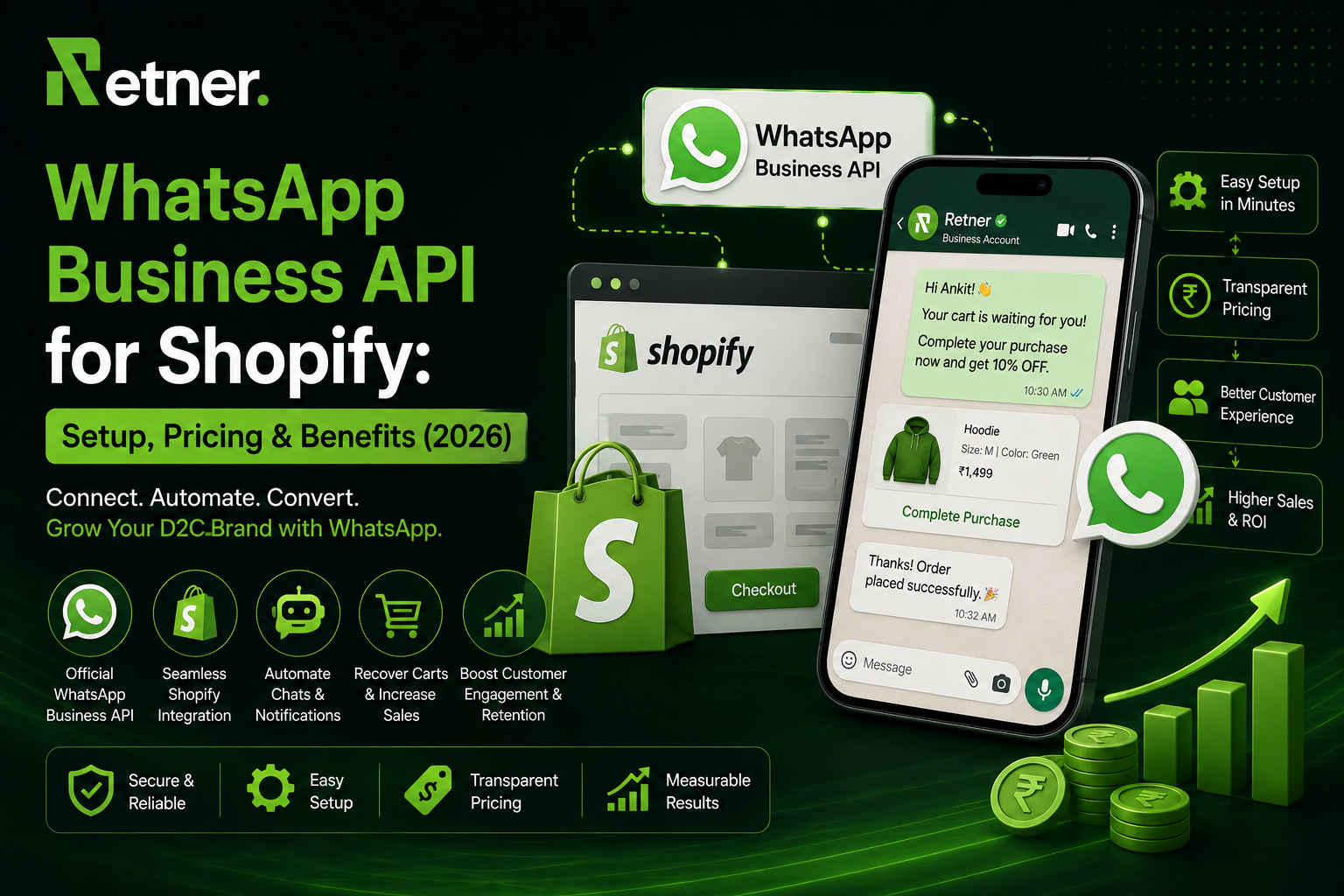
- Order Updates & Support: Automate order confirmations, shipping and delivery notifications, refunds, and general inquiries. Customers stay informed and trust the brand more. The official Shopify-WhatsApp app from Meta adds a checkout opt-in so shoppers can receive “order updates from you on WhatsApp”. This automation cuts support tickets (“where is my order?”) and speeds up customer service.
- Abandoned Cart Recovery: WhatsApp’s high visibility makes it an ideal channel to remind customers of abandoned carts. A timely WhatsApp message (with product images and checkout links) can recover sales that email misses. For example, one provider reports an average 28% cart recovery rate with WhatsApp flows.
- COD Verification and Fraud Reduction: In markets with Cash on Delivery, unverified orders often become returns (RTO). By sending a quick confirmation via WhatsApp (“Reply YES to ship”), brands can verify customer intent before dispatch. Automated chat and even AI voice calls on WhatsApp can cut fake/low-intent COD orders.
- Promotions & Re-engagement: Brands can run permission-based campaigns (sales, new arrivals, reminders) to opted-in customers. WhatsApp’s interactive features (buttons, lists, carousels) and high click-through rates (45–60% on promotional content) make broadcasts far more effective than email.
- 24/7 Customer Chat: Using WhatsApp API, teams can respond to customer messages from Shopify’s admin or any inbox tool. This creates a unified view of order history and chat, speeding up support. Customers can also initiate chats and stay in a 24-hour service window where free-form responses are allowed.
- Data-Driven Engagement: By integrating Shopify data (customer profiles, tags, purchase history), WhatsApp messages can be hyper-personalized. For example, sending birthday discounts or product recommendations directly in chat can boost loyalty. Industry reports indicate 53% of retailers automate WhatsApp messaging in the customer journey.
In summary, connecting Shopify with the official WhatsApp Business API unlocks a direct line to customers with proven impact on conversion, retention, and satisfaction. Next we explain what you need before setting up, and then walk through the steps to get WhatsApp API running on your Shopify store.
Prerequisites and Requirements
Before implementing the WhatsApp Business API, your business must meet a few key requirements:
- Meta Business (Facebook Business) Account: You need a verified Meta Business Manager account to create and manage WhatsApp Business Accounts (WABA). This is where your WhatsApp API integration is configured. If you don’t already have one, create a free Meta Business account at business.facebook.com and complete any required verification steps.
- WhatsApp Business Account (WABA) & Phone Number: You must register a dedicated phone number for the API. This can be a new number or an existing number (even if it’s currently on the WhatsApp Business App), but if it’s in use you may need to de-register it or use Meta’s Coexistence feature. Meta’s Coexistence allows eligible businesses to run both the Business App and the API simultaneously on the same number. Ensure the number is a valid mobile or landline that can receive SMS or voice calls for verification.
- Business Verification: Meta may require you to verify your business (blue badge) using official documents (tax ID, certificate of incorporation, etc). This verification is recommended or required for higher messaging volume and features. It is not strictly needed to begin testing, but most brands will complete it to unlock full functionality.
- WhatsApp Templates and Opt-In: Unlike the regular WhatsApp Business App, the API only allows business-initiated messages via pre-approved templates. You will need to create the initial templates (for order updates, greetings, etc) and submit them for Meta approval. Additionally, you must obtain user opt-ins before messaging customers (for example, by adding a checkbox or toggle at checkout where shoppers agree to receive WhatsApp messages).
- A Business Solution Provider (BSP) or Setup Plan: The Cloud API itself can be used directly (self-hosted) or via a BSP like Twilio, 360dialog, Gupshup, or a Shopify app. Each option has different setup steps. We'll detail these options later.
Once the above are in place, you will be ready to configure the technical integration. Typically, businesses find that connecting Shopify and launching initial flows can take a few hours, with additional days for Meta to approve templates and business verification.
Step-by-Step Setup Guide
Here’s a high-level workflow for getting the WhatsApp API up and running on Shopify:
flowchart TD
A[Create Meta Business Account] --> B[Verify Business (Document Upload)]
B --> C[Set Up WABA & WhatsApp Number]
C --> D[Generate API Credentials (Token/Webhook)]
D --> E[Choose Integration Method (BSP/App)]
E --> F[Connect Shopify via Chosen Tool/App]
F --> G[Submit & Approve WhatsApp Templates]
G --> H[Configure Automated Workflows (e.g. order webhooks)]
H --> I[Test and Go Live]
- Create Meta Business & Phone Setup: Sign in to Meta Business Manager and ensure your business details are complete. Under Accounts > WhatsApp accounts, create a new WhatsApp Business Account (WABA) and add a phone number. Follow the prompts to verify the number via SMS or call. If using the Cloud API, generate an API token and set up a webhook URL (this can often be done within your BSP’s dashboard).
- Business Verification (if needed): Upload required documents in Meta Business settings. Meta will review and (typically within a few days) grant verification. This step is necessary to avoid sending limits and to ensure compliance with WhatsApp’s policies.
- Choose Integration Path:
- Direct API (Self-Hosted): If you have developer resources, you can use the Cloud API directly. You’ll handle hosting (on your own server or cloud), tokens, and webhook routing. This offers maximum control but requires building your own middleware to connect Shopify webhooks to WhatsApp calls.
5. BSP or Platform: Most merchants opt for a Business Solution Provider (BSP) or an app like Retner. BSPs (e.g. Twilio, 360dialog, Gupshup, Retner, etc.) handle the API connection, maintenance, and often provide a UI/dashboard for messaging. You still pay Meta’s fees, but the BSP may charge a monthly fee or per-message markup. Setup is typically easier: sign up for the BSP, follow their guided onboarding to link your Meta account, WABA, and phone number.
- Shopify WhatsApp App: Shopify’s official WhatsApp app by Meta is the simplest option if you only need basic order notifications. It installs directly in Shopify and handles opt-in at checkout. However, it is limited to order updates and does not support custom workflows or two-way chat beyond customer replies in the service window.
- Connect Shopify:
- Via an App: The easiest approach for non-developers is to install a Shopify app (like Retner, Trengo, or other WhatsApp marketing apps). During installation, these apps use OAuth to connect to your store, allowing them to listen to order, cart, and fulfillment events without additional coding.
- Via Custom Integration: If using the direct API or a generic BSP, you’ll need to link Shopify events (like “Order Created”, “Order Fulfilled”, “Cart Abandoned”) to your WhatsApp logic. This can be done through Shopify webhooks or using automation platforms (e.g. Zapier) that catch Shopify events and call the WhatsApp API.
- Create & Approve Templates: In your chosen platform, draft the initial message templates you will need (e.g. “Order Confirmed: Hi {1}, your order #{2} has been received. It will ship soon!”). Submit these templates for approval via Meta (often through the BSP dashboard). Approval typically takes 1–2 days.
- Implement Workflows:
- Order Confirmation & Shipping Updates: Configure triggers so that when an order is placed or marked as fulfilled in Shopify, a WhatsApp template is sent to the customer.
13. Abandoned Cart Flow: (If desired) Capture cart abandonment events and send follow-up messages after a delay.
14. COD Verification: For COD orders, set up a flow to send a “Reply YES to confirm” template, and optionally trigger an AI call if there’s no response.
15. Broadcasts: Build customer segments in Shopify (by tags, purchase history, etc.) and use your WhatsApp tool to send marketing broadcasts (e.g. sale alerts, new launches) to opted-in lists.
- Support Chat: Enable an agent inbox so replies from customers are routed to your team. Ensure you have customer service representatives monitoring the channel.
- Testing and Launch: Use your platform’s testing tools or a sandbox environment to send trial messages to an internal number. Verify that templates render correctly (WhatsApp will reject templates with formatting errors). Once tested, publish your flows. Monitor the first batch of messages to ensure high delivery.
Expected Timeline: For a small to medium store using a BSP or app, initial setup to go-live can take 1–2 weeks. Connecting accounts and Shopify is quick (hours), but obtaining Meta verification and template approvals usually requires several business days. A simple integration (order updates only) can launch faster, while building full automated journeys (cart recovery, segmentation) will take more time to configure and test.
Pricing Overview
WhatsApp Business API pricing is now message-based and depends on message type and destination. Here’s what Shopify merchants should know about costs:
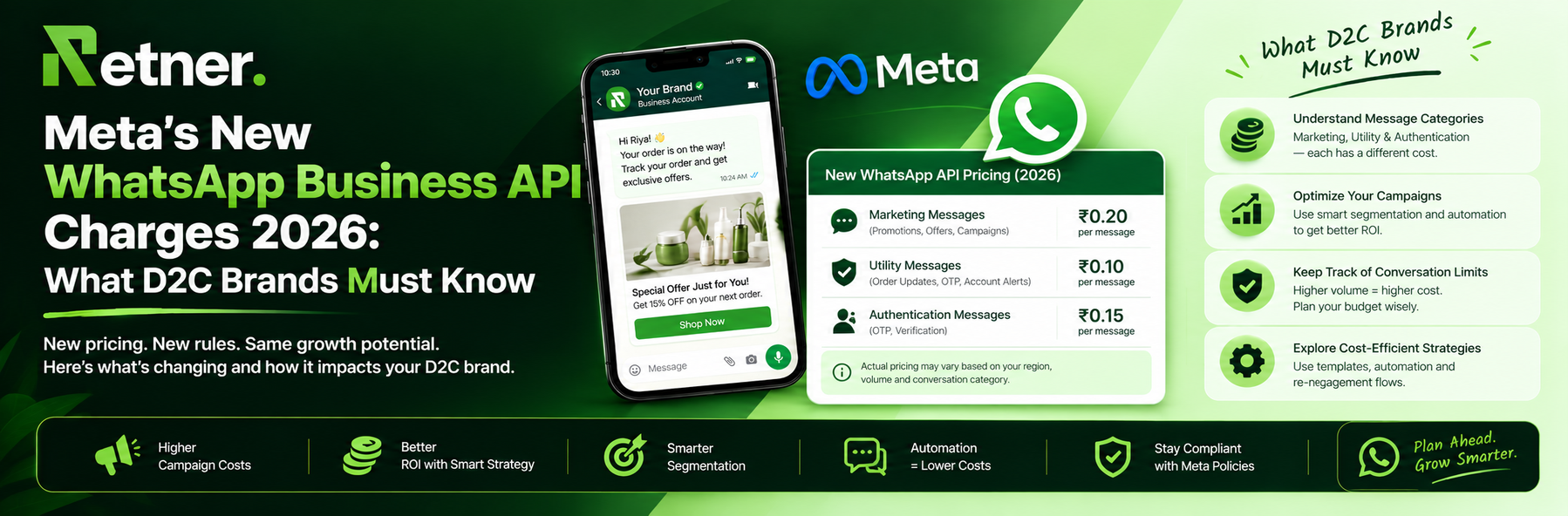
- Meta’s Per-Message Fees: Meta divides messages into categories: Marketing, Utility (Transactional), Authentication (OTP), and Service. As of 2026, pricing varies by country. For example, in India Meta charges about ₹0.863 per marketing message and ₹0.115 per utility/authentication message. In the United States, it’s about $0.025 per marketing message and $0.004 per utility/auth. (Service messages within the 24-hour customer service window are free for now but will be charged at utility rates starting Oct 2026.)
- Volume Tiers and Free Windows: Meta’s pricing includes volume discounts at higher message volumes. Also, any conversation started by the customer (e.g. via a Click-to-WhatsApp ad or message to you) triggers a free 24-hour session during which you can send unlimited messages at no charge. So, proactively getting customers to initiate chat can save costs.
- BSP Markups: Business Solution Providers typically add their own fees. For example, larger BSPs often add around $0.003–$0.010 per message. Some charge a monthly license (e.g. €49+ for basic accounts). Always check your BSP’s pricing.
- Shopify App Fees: If you use a WhatsApp Shopify app (like Retner or others), there is usually a monthly subscription. Some apps bundle a certain number of templates or messages, while others simply connect your existing WhatsApp account (you then pay Meta directly per message). For instance, the official Shopify WhatsApp app from Meta is free to install and does not charge extra beyond Meta’s messaging fees. (Some apps may also charge a per-conversation fee or require a plan upgrade for advanced features).
- Estimating Costs: To estimate, multiply your expected message volume by the per-message rate. For example, an Indian store sending 5,000 marketing templates per month would pay roughly ₹4,315 (5,000×0.863) to Meta, plus any BSP fees. If 50,000 shipments are updated per month (utility), that’s another ₹5,750 (50,000×0.115). By contrast, earlier “session” pricing might have billed once per 24hr session, which could have been cheaper if multiple messages were sent. Under the new per-message model, multiple templates per customer incur multiple charges.
See the table below for a simplified comparison:
| Message Category | Meta Base Rate (USD) | Meta Base Rate (INR) | Example (India) |
| Marketing | $0.025 (US) | ₹0.863 per msg | ₹1.09 via some BSPs |
| Utility | $0.004 (US) | ₹0.115 per msg | ₹0.145 via some BSPs |
| Authentication | $0.004 (US) | ₹0.115 per msg | ₹0.145 via some BSPs |
| Service | Free (currently) | Free (currently) | Free (currently) |
Rates are approximate, as published by Meta for July 2025 onward. Actual billed price includes your BSP’s markup.
Key Takeaway: WhatsApp API messaging is no longer free. Budget for message costs, especially if you plan large-scale campaigns. However, the ROI of high engagement often outweighs the spend. Many Shopify merchants find that paying a few cents per message to close sales or reduce support tickets is well worth it.
WhatsApp Message Types & Templates
The WhatsApp Business API enforces strict categories and formats:
· Template Messages (Pre-approved): All outbound messages initiated by you must use templates. Each template belongs to a category (Marketing, Utility, or Authentication). Examples:
· Order Confirmation (Utility): “Hi [Name], thanks for your order #[ORDER_ID] of [TOTAL]. We will let you know when it ships!”
· Shipping Update (Utility): “Good news! Your order #[ORDER_ID] has been shipped. Track it here: [TRACKING_LINK]”
· Abandoned Cart Reminder (Marketing): “You left items in your cart! Complete your purchase now and get 10% off with code SAVE10”
· Promotion (Marketing): “Exclusive Sale: 24 hours only! Get 30% off on your next purchase. Tap below to claim.”
· OTP (Authentication): “Your verification code is [CODE]. It will expire in 5 minutes. Don’t share this code.”
Templates can include up to 4 variables (e.g. [Name], [Order ID]), and you can add buttons or quick-reply options. They must be submitted to Meta for approval; most simple templates are approved within a day.
- Session/Service Messages: Any message sent in response to a customer’s inbound message falls into the service session category and is currently free of charge. This 24-hour customer service window resets each time the customer replies. For example, if a customer messages “Where’s my order?”, you can reply freely with updates or even utility templates for that customer. Note that after Oct 1, 2026, even these will become billable (at utility rates) according to Meta’s announcements.
- Marketing vs Utility: It’s crucial to categorize templates correctly. Utility templates must be triggered by a relevant customer action (e.g. post-purchase or appointment). Marketing templates are any promotional or unsolicited outreach (like catalogs, newsletters, special offers). WhatsApp enforces policies on frequency and content for marketing templates (e.g. no repeated sale spam), so use them judiciously.
- Examples of Common Template Use-Cases:
· Order/Shipment Notifications: Use immediately after order placement and fulfillment. These are expected by customers and keep them informed.
· Abandoned Cart Flows: Send a brief reminder with a product image and checkout link 1–2 hours after cart abandonment.
· COD Verification: For COD orders, send an order summary template asking for confirmation (“Reply YES to confirm shipment”).
· Promotional Broadcasts: To customers who opted in, send segmented promotions (sale alerts, new arrivals). These require opt-in or must meet WhatsApp’s user initiation criteria.
· Customer Support: Use WhatsApp free-form messaging to answer questions. Tools can route incoming chats to agents for live support, all while showing order context from Shopify.
By leveraging the right mix of template messages, Shopify merchants can automate the entire post-purchase journey on WhatsApp. Just remember that any message sent outside the 24hr window, or any bulk broadcast, will cost per message as outlined earlier.
Compliance and Best Practices
WhatsApp has strict policies to ensure user privacy and quality. When integrating with Shopify:
- Get Explicit Opt-In: You must obtain the customer’s consent to receive WhatsApp messages. For example, add a checkbox at checkout: “Notify me via WhatsApp.” Alternatively, customers who initiate contact (e.g. clicking a WhatsApp link on your site) inherently opt in.
- Template Approval: Only use approved templates. Plan ahead which templates you need and get them live before launching your workflows.
- 24-Hour Window: After a customer messages you or opts in by clicking to chat, you have a 24-hour window to reply freely. After 24 hours of inactivity, you can only re-engage with a template (and will incur charges).
- Frequency Limits: WhatsApp limits how often you can message the same customer with marketing templates to prevent spam. (These caps vary by region.) Space out promotional outreach.
- Relevant Content: Especially for marketing templates, make sure the content is relevant and not deceptive. Always include a clear opt-out (customers can reply “STOP” to unsubscribe).
- Data Privacy: Don’t share sensitive user info in messages. Handle customer data (names, orders) according to privacy laws. If you store WhatsApp opt-ins, protect that data.
- Monitor Quality Metrics: WhatsApp tracks message quality (user blocks, complaints). High negative feedback can lead to template rejections or account restrictions. Always test new templates on a small scale first.
Following these rules ensures a smooth WhatsApp experience. Remember that integration success isn’t just about technology, but about respectful communication. As Infobip reports, businesses see much higher satisfaction when using WhatsApp, so abide by best practices to harness that goodwill.
Integration Options: Direct API vs. BSP vs. Shopify Apps
There are three main ways to connect WhatsApp API with Shopify:
| Option | Ease of Setup | Control/Custom | Costs | Best For |
| Direct Cloud API | Medium-High | Very High (Custom) | Meta fees + hosting + dev costs | Tech-savvy teams or agencies that want full control. Not beginner-friendly. |
| Business Solution Provider (BSP)<br>(e.g. Twilio, 360dialog, Gupshup, Retner) | Medium | High (with built-in tools) | Meta fees + BSP fees/markup | Most D2C brands. No dev needed, includes support and often easier template management. |
| Shopify WhatsApp App<br>(e.g. Meta’s official app) | Very Easy | Low (limited features) | Meta fees only (no extra, free app) | Stores needing only basic order/ship notifications with minimal setup. |
- Direct Cloud API: You obtain credentials from Meta and integrate via code or middleware. You must handle API calls yourself (e.g. write a script that calls /messages endpoint when a Shopify order is placed). This requires developer effort and server infrastructure. Use this if you want complete customization and have the technical resources.
- BSP / Platform Integration: The most popular approach. Providers offer a hosted console or app that manages WhatsApp. For example, Retner provides a unified dashboard for WhatsApp + AI calling + Shopify automation. To set up, you simply link your Meta account (via OAuth) and number, and sync it with your Shopify store. The BSP handles API tokens, webhooks, and even provides templates and compliance. Twilio charges a base fee (~$49/mo) plus per-message markup; others vary.
- Shopify App: Meta’s official “WhatsApp” app installs in Shopify and uses your WhatsApp Business credentials. It is essentially a BSP provided by Meta with turnkey functionality, but only for order notifications. It’s free to install and configures checkout opt-in for you. However, you cannot use it for custom marketing flows or two-way support beyond basic replies.
In practice, most fast-growing Shopify brands choose a BSP or specialized app. These solutions often offer 1-click Shopify integration, pre-built workflows (abandoned cart messages, tag-based segments), and analytics. For example, Retner advertises under 15-minute setup with “native Shopify OAuth” and “no Zapier needed”. They handle webhooks for events like abandoned carts and order updates automatically, whereas a direct API integration would require custom webhook configuration.
Comparison Table (Example Providers):
| Integration | Setup Skill | Monthly Cost | Messaging Fees | Key Feature |
| Direct API (self-build) | High | Varies (hosting) | Meta rates only | Full control of flows |
| Twilio API for WhatsApp | Low-Med (OAuth) | ~$49 + usage license | Meta + $0.005–$0.010 each | Trusted platform, good docs |
| 360dialog / Gupshup etc. | Low | ~$0 (some free tier) | Meta + small markup | Some include chat UI |
| Shopify Meta App (official) | Very Low | Free | Meta rates only | 1-click, order updates only |
| Retner (Shopify App) | Very Low | Tiered (e.g. $XX/month) | Meta rates (no markup) | All-in-one WhatsApp + AI + Shopify integration |
Choose based on your needs. A lean store might start with the free official app to handle order alerts, then upgrade to a third-party app or BSP as they need chat, automation, or marketing features.
Recommended Workflows and Best Practices
Once integrated, here are sample workflows and tips:
- Order Notification Flow: Trigger a “Thank you for your order” message (utility template) right after purchase. Follow up with a “Your order is shipped” when fulfilled, then a “delivered” message when tracking confirms delivery. Each keeps customers informed and reduces “Where is my package?” calls.
- Abandoned Cart Flow: Detect when a cart is abandoned (via Shopify webhooks or by tracking incomplete checkouts). Send a friendly reminder after 1 hour and again after 24 hours (e.g. “Still interested? Your cart is waiting!”). You can escalate: if no reply after WhatsApp, consider sending an SMS or email as well.
- COD Verification: For COD orders, automatically send a template message summarizing the order with a “Reply YES to confirm” prompt. If the customer replies (free-form or via quick reply), proceed with shipping. If they cancel, cancel the order. If no reply, schedule an AI voice call or a manual check. This workflow can dramatically reduce fake orders. (Retner, for instance, provides automated COD confirmation flows where only YES orders ship.)
- Post-Purchase Engagement: After delivery, use WhatsApp to solicit reviews or feedback. For example, a follow-up message a few days later: “We hope you’re loving [Product]. Mind leaving a review? Reply here or tap to review.” This can boost trust signals for future shoppers.
- Broadcasts & Campaigns: Regularly send targeted promotions to opted-in lists. Segment customers by purchase history or interests (e.g. using Shopify tags). Always personalize (use their name, mention related products). Use WhatsApp’s rich templates (with buttons) to maximize click-through.
- Customer Support: Monitor incoming WhatsApp messages from customers (in your inbox or support tool). Respond promptly, and if the question is resolved, label it accordingly. Automate FAQs with quick-reply buttons to common questions (“Where is my order?”, “Can I return?”).
When designing these workflows, prioritize relevance and timeliness. Don’t bombard customers with messages. For example, an abandoned cart reminder might include a small incentive (like a one-time discount) to encourage completion. Order updates should be factual and helpful (include order number, expected dates, and a link to track or cancel). The key metric is customer satisfaction: in practice, 70% of businesses report higher satisfaction after using WhatsApp.
Measuring Success: KPIs and Dashboards
Track these key metrics to gauge performance:
· WhatsApp Delivery Rate: Percentage of messages successfully delivered (very high on WhatsApp, typically >95%).
· Read/Open Rate: The percent of delivered messages opened by users. WhatsApp sees ~98% open rates, which is useful for benchmarking.
· Response Rate: How many customers reply to your messages. Useful for support and cart recovery flows.
· Click-Through Rate (CTR): For any messages with links or buttons (e.g. cart links), measure how many users click them.
· Conversion/Recovery Rate: For abandoned cart or COD flows, measure how many triggered customers complete an order or confirm. E.g. “Recovered carts” as a percent of abandoned carts.
· Support Resolution: If using WhatsApp as a support channel, track tickets resolved vs. opened and average response time.
· Opt-Out/Block Rate: Monitor how many customers opt-out or block your number (this should be very low if you message only opted-in users).
Calculating ROI: Compare the cost (messaging fees, platform fees) against the value gained. For example, if a ₹5,000 campaign to 10,000 customers yields 50 additional orders at ₹1,000 ARPU, that’s ₹50,000 revenue—an ROI of 10x on those messages. Connect your WhatsApp analytics with Shopify sales for a complete view.
A typical dashboard might show daily sent messages by category, number of conversations started, template approvals, and top performing flows (with conversion numbers). Many WhatsApp platforms (including Retner) include built-in reporting for these stats.
Migration & Testing Checklist
When implementing WhatsApp API on Shopify, follow this checklist:
· [ ] Meta Account Ready: Business verified, WABA and number set up.
· [ ] Templates Approved: Have core templates (order, shipping, cart reminder) approved in Meta.
· [ ] Integration Connected: Your BSP or app is linked to both Meta and Shopify (sync test order).
· [ ] Opt-In Mechanism: Confirm your Shopify checkout or other touchpoint collects explicit WhatsApp opt-in.
· [ ] Test Messages: Use a test number to send each template. Verify formatting (no blacklisted words). Test webhooks (e.g. place a test order and see if the WhatsApp message fires).
· [ ] Team Training: Ensure any customer service reps know how to use the WhatsApp inbox (if applicable).
· [ ] Fallback Plan: Decide how to handle failures (e.g. if WhatsApp template sends fail, fallback to SMS/email).
· [ ] Legal Compliance: Privacy policy updated to mention WhatsApp messaging, and customers can easily opt-out (by replying “STOP”).
· [ ] Monitoring: Set up alerts or checks (for undelivered messages, service disruptions).
· [ ] Launch in Phases: Consider a soft launch (to VIP customers first) before rolling out to entire database.
Testing is crucial because once live, mistakes (like spamming customers) can harm your brand. Run through every automated scenario yourself or with a colleague to catch any issues.
FAQs
Q: Do I need WhatsApp Business API to send WhatsApp messages from Shopify?
If you want to automate messaging at scale (beyond manually clicking in the app), yes. The API is required for business-initiated messages and for integration with Shopify events. The standard WhatsApp Business app can only send manual messages and has strict limits.
Q: How much does it cost to use WhatsApp Business API?
There is no fee for the API itself, but Meta charges per message delivered (see pricing section above). Many BSPs/apps also charge a monthly fee or per-message markup. The official Shopify WhatsApp app is free, but you still pay Meta’s per-message fees.
Q: How long does setup take?
Connecting accounts and setting up basic notifications can be done in hours. However, Meta verification and template approval usually take a few days. Plan for about 1–2 weeks for a full rollout.
Q: Can I use the same WhatsApp number on the Business App and API?
Yes, Meta offers a “Coexistence” mode for eligible businesses, allowing a limited transition period. Otherwise you may need a separate number or deregister the app number first. Consult your BSP or Meta support.
Q: What messaging volume is suitable for the API?
The API is intended for moderate to high volume. If you only have very few messages (e.g. 1-2 customer chats per day), the free app might suffice. Once you have frequent updates, carts, and campaigns, the API is the scalable choice.
Q: How do I convert customers from chat to sales?
Use clear calls-to-action in your messages. For example, a cart reminder should include a direct checkout link. Promotional messages can include “Shop Now” buttons. Always make it easy to click through.
Conclusion: Unlocking WhatsApp’s Power on Shopify
WhatsApp Business API is a game-changer for Shopify brands. It opens a direct channel with customers at almost zero friction (they already use WhatsApp) and with very high engagement. By setting up the API, you can automate critical communication flows (orders, shipments, carts, support) and add new marketing capabilities that email alone can’t match.
The journey involves some setup (Meta Business account, template approvals, integrating a platform or BSP), but the payoff is a comprehensive conversational commerce strategy. Rather than forcing customers to check emails or wait on hold, you bring the conversation to their favorite app.
Retner is one example of a platform designed for Shopify + WhatsApp integration. It streamlines the steps above: connecting your Meta account, syncing with Shopify, providing templates, and offering drag-and-drop automation builders. Retner’s unified platform can handle messaging, AI-powered calls (for COD or support), and analytics—all integrated with your store data.
The bottom line: if your store sells products and your customers are on WhatsApp (which they almost certainly are), investing in the WhatsApp Business API is likely worth it. It moves your communications into an interactive, high-ROI space. With clear planning and the right tools, you can set up WhatsApp API on Shopify and start seeing better engagement, fewer abandoned carts, and happier customers—all in 2026 and beyond.
Ready to connect WhatsApp to your Shopify store? Learn how Retner can automate your WhatsApp workflows and AI calls to grow your D2C brand.
8x Return On WhatsApp Ads Spend.
Book a demo and we will get you started on proven WhatsApp marketing strategies