Why Shopify Brands Are Moving to WhatsApp Automation
Email inboxes are crowded.
SMS feels transactional.
But WhatsApp has become one of the highest-engagement channels for e-commerce brands.
Customers already use it daily.
That makes it ideal for:
- abandoned cart recovery
- order updates
- customer support
- post-purchase engagement
- repeat purchase campaigns
For Shopify brands, WhatsApp automation is no longer just a marketing add-on.
It’s becoming part of the core retention system.
What Is WhatsApp Automation for Shopify?
WhatsApp automation connects your Shopify store with automated messaging workflows using the WhatsApp Business API.
This allows brands to automatically:
- Send cart reminders
- confirm orders
- update delivery status
- recover abandoned checkouts
- automate customer support
- increase repeat purchases
without manual intervention.
What You Need Before Setup
Before you begin, you typically need:
1. Shopify Store
An active Shopify store with products and checkout enabled.
2. WhatsApp Business API Access
Important distinction:
| WhatsApp Business AppWhatsApp Business API | |
| Manual messaging | Automation enabled |
| Small businesses | Scalable ecommerce workflows |
| Limited automation | Advanced integrations |
Serious automation requires the API.
3. Automation Platform
You’ll need a platform that connects Shopify with WhatsApp automation workflows.
Platforms like Retner help brands automate:
- lifecycle messaging
- abandoned carts
- retention flows
- AI-powered engagement
without complex development work.
Step-by-Step: How to Set Up WhatsApp Automation for Shopify
Step 1 — Connect Shopify Store
The first step is integrating your Shopify store with your automation platform.
Typically, this involves:
- installing the Shopify app
- authorizing store access
- syncing customer and order data
Once connected, the platform can access:
- orders
- carts
- customer activity
- purchase history
This data powers automation workflows.
Step 2 — Set Up WhatsApp Business API
Next, connect your WhatsApp Business API account.
This usually includes:
- verifying your business
- connecting your phone number
- configuring messaging permissions
Most modern automation platforms simplify this process significantly.
Step 3 — Create Core Automation Flows
This is where the real value begins.
Instead of manually sending messages, you create automated journeys.
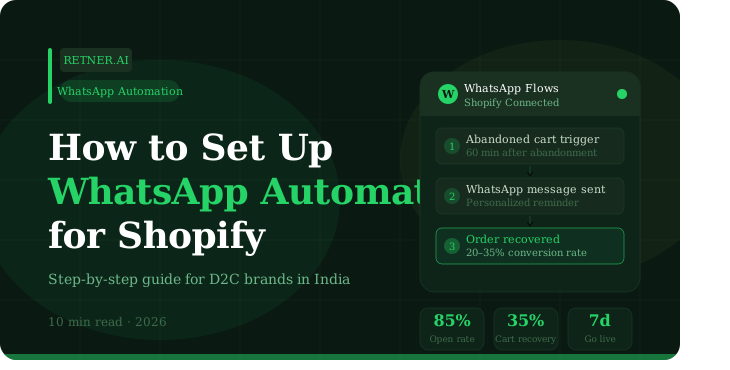
A. Abandoned Cart Recovery Flow
One of the highest ROI workflows.
Example sequence:
- Customer adds products to cart
- Leaves without purchasing
- WhatsApp reminder triggers automatically
Optional:
- second reminder
- urgency messaging
- discount incentive
B. Order Confirmation & Updates
Automate:
- order confirmations
- shipping alerts
- delivery updates
This reduces support tickets while improving trust.
C. Post-Purchase Retention Flow
After delivery:
- send usage tips
- collect reviews
- recommend complementary products
- trigger reorder reminders
This is where repeat purchases increase.
D. COD Verification Flow
Critical for Indian e-commerce.
Before shipping:
- confirm customer intent
- validate order details
This helps reduce fake COD orders and RTO losses.
Step 4 — Segment Your Customers
Avoid sending the same messages to everyone.
Strong WhatsApp automation depends on segmentation.
Example segments:
- first-time buyers
- repeat customers
- high-value customers
- inactive customers
- COD users
Better segmentation = better engagement.
Step 5 — Personalize Your Messages
Generic broadcasts reduce effectiveness.
Good automation feels relevant.
Examples:
- product-specific reminders
- personalized greetings
- behavior-based recommendations
Customers respond better when messaging reflects their activity.
Step 6 — Set Trigger Rules
Automation works through triggers.
Examples:
- cart abandoned for 30 minutes
- order delivered
- no purchase for 45 days
- product replenishment window reached
The system reacts automatically based on customer behavior.
Step 7 — Monitor Analytics & Optimize
The setup is not “one and done.”
Track:
- open rates
- click rates
- recovery rates
- repeat purchases
- retention metrics
Optimization matters more than volume.
Best WhatsApp Automation Flows for Shopify
1. Abandoned Cart Recovery
Recover lost revenue automatically.
2. Browse Abandonment
Target users who viewed products but didn’t add to cart.
3. Reorder Automation
Perfect for consumable products.
4. Winback Campaigns
Re-engage inactive customers.
5. Customer Support Automation
Answer FAQs instantly.
6. Cross-Sell & Upsell Flows
Recommend complementary products based on purchase behavior.
Common Mistakes to Avoid
1. Treating WhatsApp Like Email
WhatsApp is conversational, not promotional spam.
2. Over-Messaging
Too many messages reduce trust and engagement.
3. No Customer Segmentation
Generic campaigns perform poorly.
4. Ignoring Timing
Wrong timing can reduce conversions dramatically.
5. No Retention Strategy
Most brands focus only on acquisition.
Real growth comes from repeat customers.
Why WhatsApp Automation Works So Well for Shopify
Shopify already captures valuable customer behavior.
WhatsApp simply activates that data in real time.
Together, they create:
- faster engagement
- better retention
- stronger customer experience
- higher repeat purchases
This combination is especially powerful for D2C brands.
How Retner Helps Shopify Brands
Retner helps Shopify stores automate WhatsApp workflows across the customer lifecycle.
Brands can:
- recover abandoned carts
- automate post-purchase engagement
- reduce COD RTO
- improve retention
- increase repeat purchases
through AI-driven automation systems designed specifically for ecommerce.
Final Thought
Most Shopify brands already have enough traffic.
The real opportunity lies in:
- improving conversion
- reducing leakage
- increasing retention
WhatsApp automation helps brands build:
- faster communication
- smarter engagement
- automated customer journeys
And in ecommerce, the brands that communicate better usually grow faster.
FAQs
1. Can Shopify integrate with WhatsApp?
Yes. Shopify can integrate with WhatsApp Business API using automation platforms.
2. What can WhatsApp automation do for Shopify stores?
It can automate abandoned cart recovery, order updates, retention campaigns, customer support, and reorder reminders.
3. Do I need WhatsApp Business API for automation?
Yes. Advanced automation requires WhatsApp Business API access.
4. Is WhatsApp automation good for D2C brands?
Yes. It helps improve engagement, retention, and repeat purchases.
5. How does WhatsApp automation reduce abandoned carts?
Automated reminders re-engage customers who leave checkout without completing their purchase.
8x Return On WhatsApp Ads Spend.
Book a demo and we will get you started on proven WhatsApp marketing strategies
Table of Contents
Related Articles
View all
WhatsApp Chatbot for D2C Brands: How to Automate Sales, Support and Recovery in 2026
Retner vs LimeChat: Which Omnichannel Platform Actually Drives Revenue?
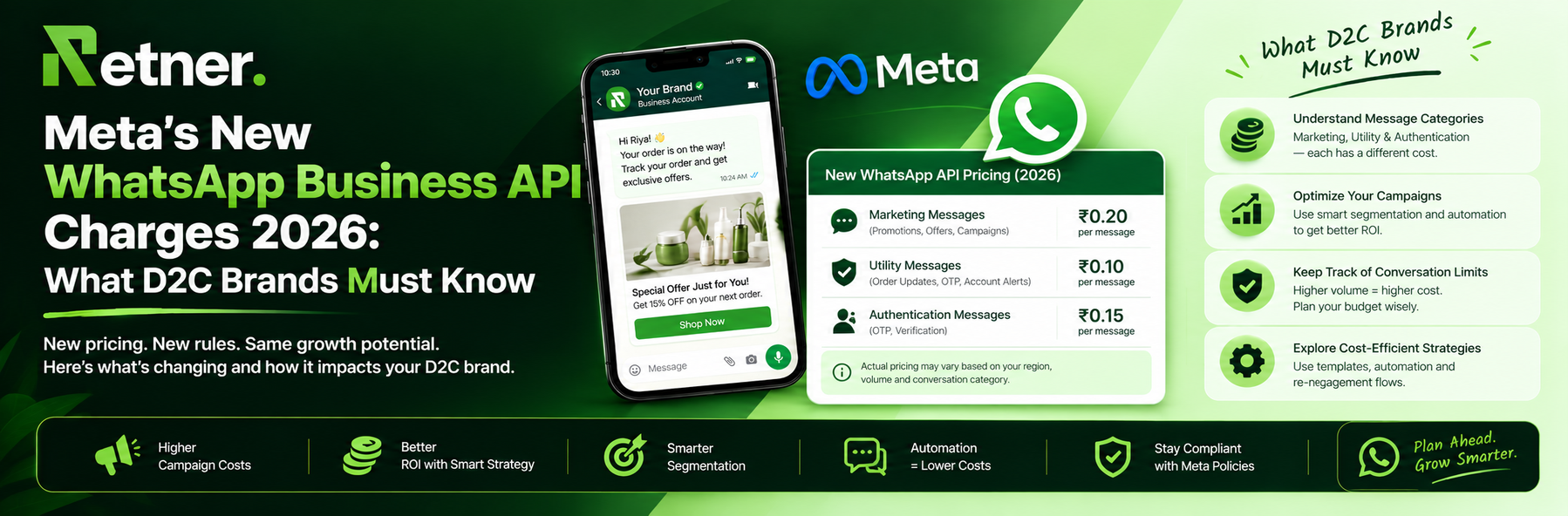
Meta's New WhatsApp Business API Charges 2026: What D2C Brands Must Know